Start with the approved scope.
The final invoice can reference what the customer accepted, what the crew completed, and what changed during production.
 YavlandExplore Yavland
 YAVLAND / INVOICING
Invoice from the work that was sold and completed, with deposits, job costs, payment status, and QuickBooks-ready records in the same flow.
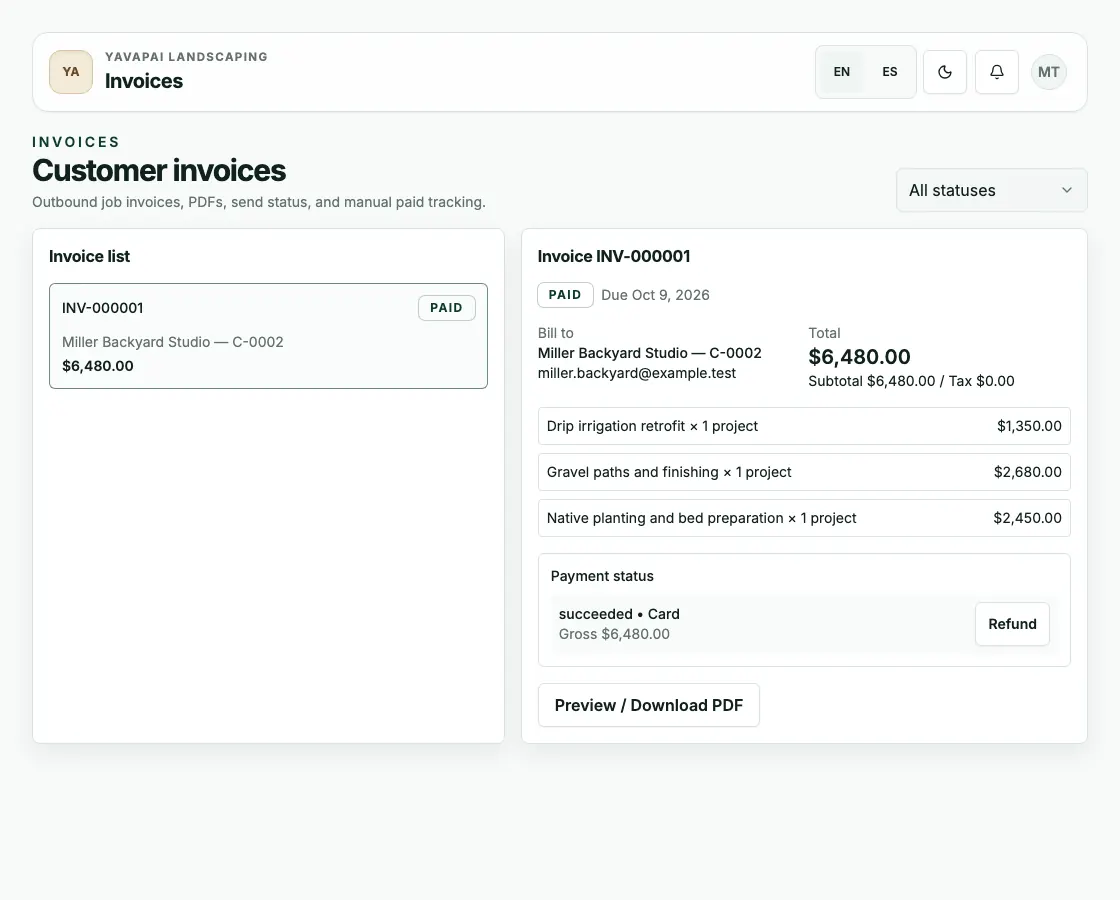
Invoice and payment status
Use invoice records from the completed job scope and show payment status accurately. The paid sample invoice with a succeeded card payment means follow-up starts from the real closeout state.
How it works
The approved scope, deposit, and remaining balance carry straight through to the invoice, so nothing gets retyped between the field and the office.
The final invoice can reference what the customer accepted, what the crew completed, and what changed during production.
Deposits, final payments, and customer portal payment status are tracked against the job so the office can see what is ready for follow-up.
Job costs, labor, materials, equipment, and QuickBooks Online sync support a cleaner closeout without copying the story into accounting by hand.
Next step